
The Library holds recorded practices you can watch any time. Open it from Library in the bar at the top, or at the bottom of the screen on a phone. The On-Demand Library, Studio and Teacher's Circle memberships include it.
To find a recording, use the search box and the menus at the top of the Library: Practice, Level, Teacher, Topic, Category, How long and Sort. On a phone they sit behind one "Filter" button. Your choices open on the browse page, and "Clear" takes them off. "Browse the whole library" shows everything.
Below the filters are shelves: "Pick up where you left off" holds what you started and have not finished, then "New on the shelf", this month's theme, "Featured" and your favorites. When you open a recording you started, it says where it is picking up, with a "Start from the beginning" button.
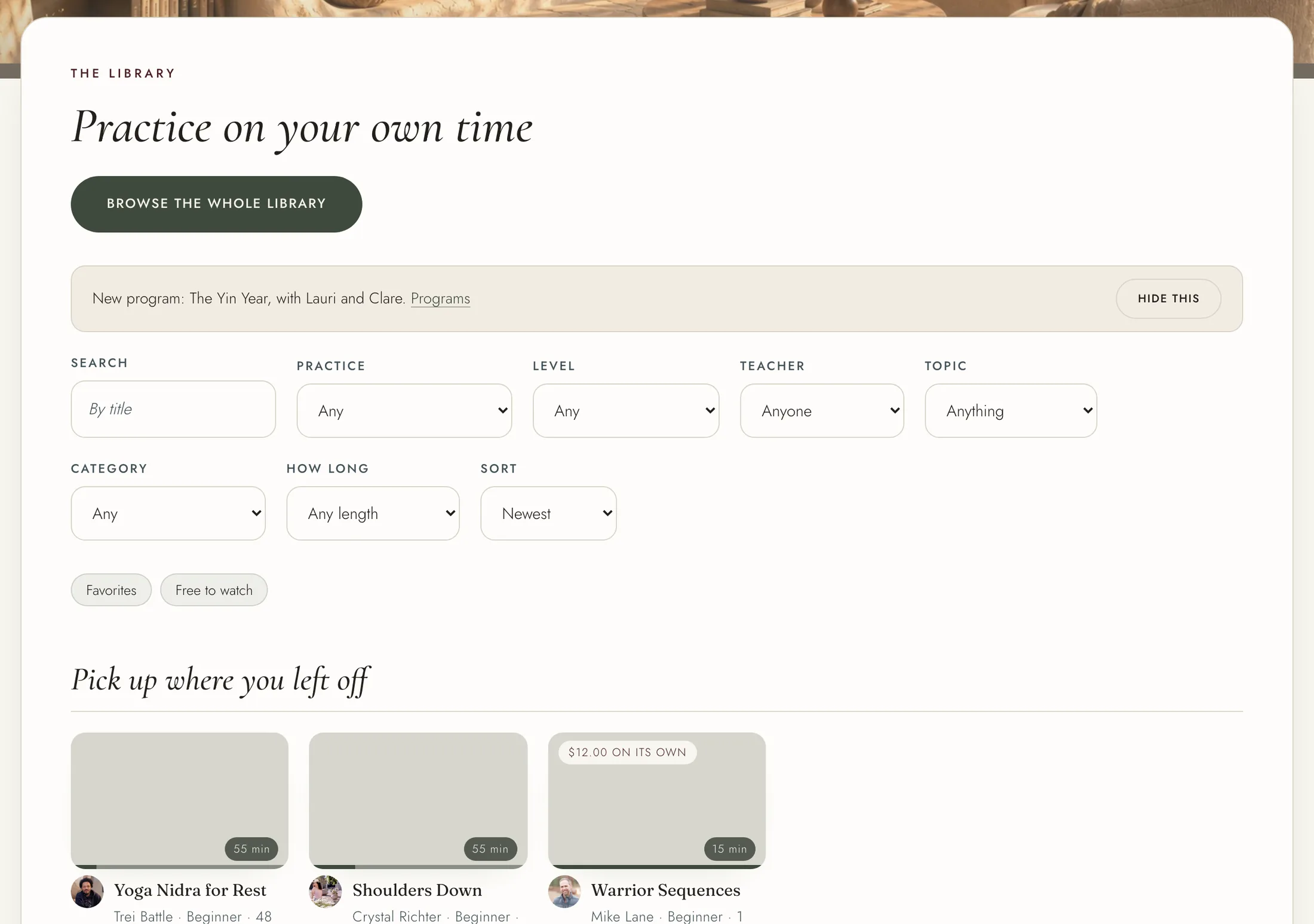
A recording marked "Not in your membership" opens with the On-Demand Library, Studio or Teacher's Circle. Some are also sold on their own. On such a recording's page, press "Buy it" and pay on the payment page. A recording bought on its own is yours to watch for 30 days from purchase, and the button says how long before you pay. Purchases are final.
Where a recording has captions, turn them on with the captions button on the player.
A recording you watch most of the way through counts toward your practice for that day.