
A guest pass lets one person come to one class as your guest. It lasts 90 days, and they do not need an account first. Open "Guest passes" from the menu under your name.
Some members, such as founding members, are given passes to give. If you have some, fill in "Their name" and "Their email" under "Invite somebody", choose a class or leave it open, and press "Make a pass". We email it to them, and the page shows a link you can send yourself.
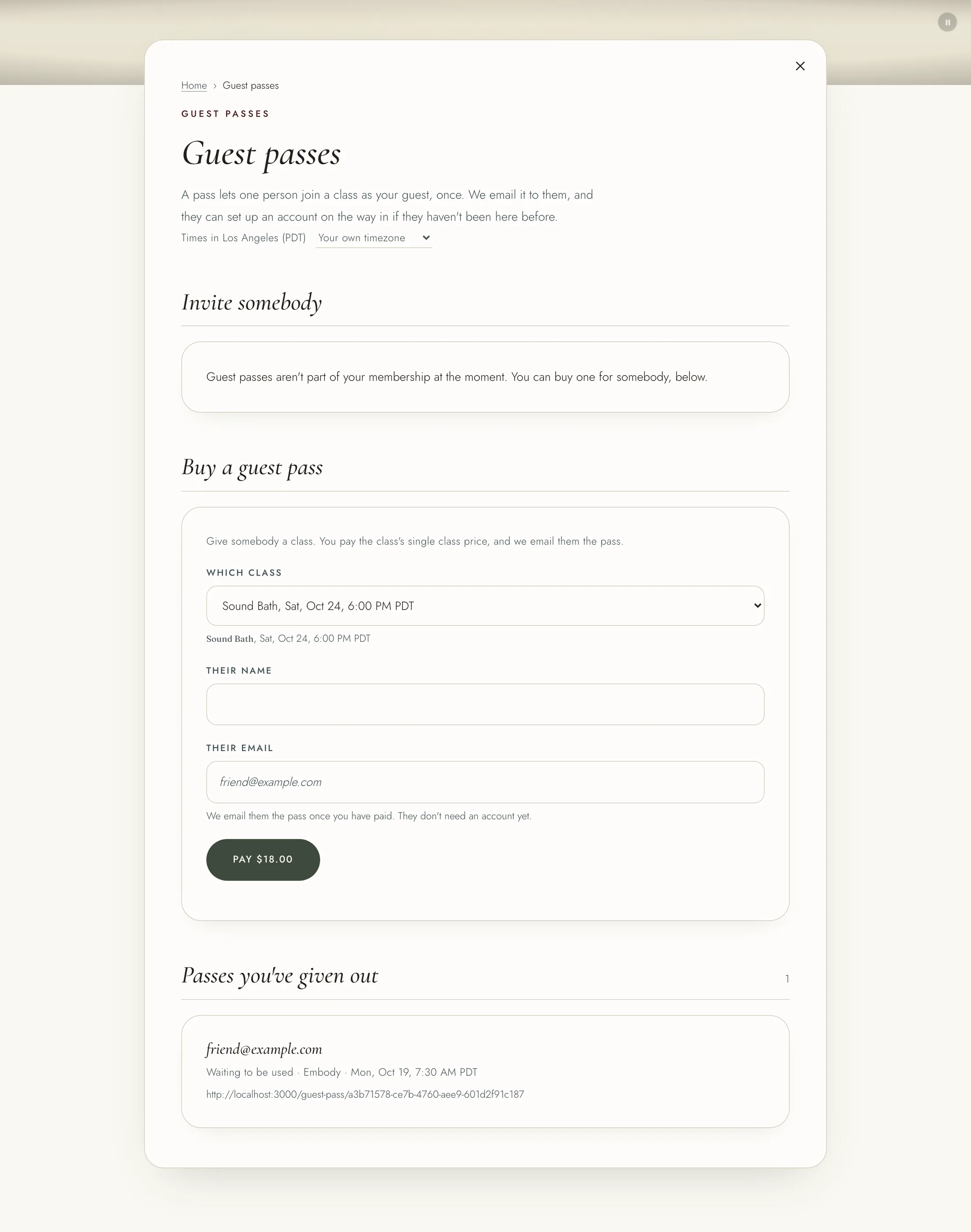
Any member can buy a guest pass. Under "Buy a guest pass", choose the class, and how they will come if it is both online and in person. Enter their name and email, and press "Pay". You pay the class's single class price, and we email them the pass once you have paid. Only classes sold on their own can be bought this way. If your guest cancels their place, what you paid becomes a credit for you.
"Passes you've given out" shows each one and whether it has been used.
Your referral link is on "My referrals", in the same menu. Press "Copy the link" and share it. Your link works on any page too: "Copy this page with your code" in the menu copies the page you are on with your code in it.
You can choose your own code once, 2 to 20 letters and numbers, and press "Save my code". Links with your old code keep working. To change it again, start a support ticket.
When somebody joins the Studio or Teacher's Circle through your link and has been a paying member for 90 days, $20 comes off your next bill. Nothing is earned for joining through your own link.