
You can delete your own account. It cannot be undone.
Your name, photograph, email address and what you wrote about yourself are removed, and so are your journal, your practice record, what you saved and your notifications. What you posted in the Lounge stops showing, and so do the messages you sent. The record of what you paid is kept, because the studio has to keep it. You are welcome to join again later with the same address.
Some things have to be settled first, and the page lists any that apply: 1. A membership that has not ended. Cancel it on "Membership and billing". Once it has ended, you can delete your account. If it is already set to end, the page says when. 2. A class you are booked into that is still to come. Cancel your place first, so it can go to somebody else. 3. A staff account, or an account with teaching or pay attached. The team closes these for you: start a support ticket.
To delete your account: 1. Open the menu under your name and choose "Profile and settings". 2. Choose the "Delete account" tab. 3. Enter your password under "Your password, to show it is you". 4. Type "delete my account" in the box below it. 5. Press "Delete my account".
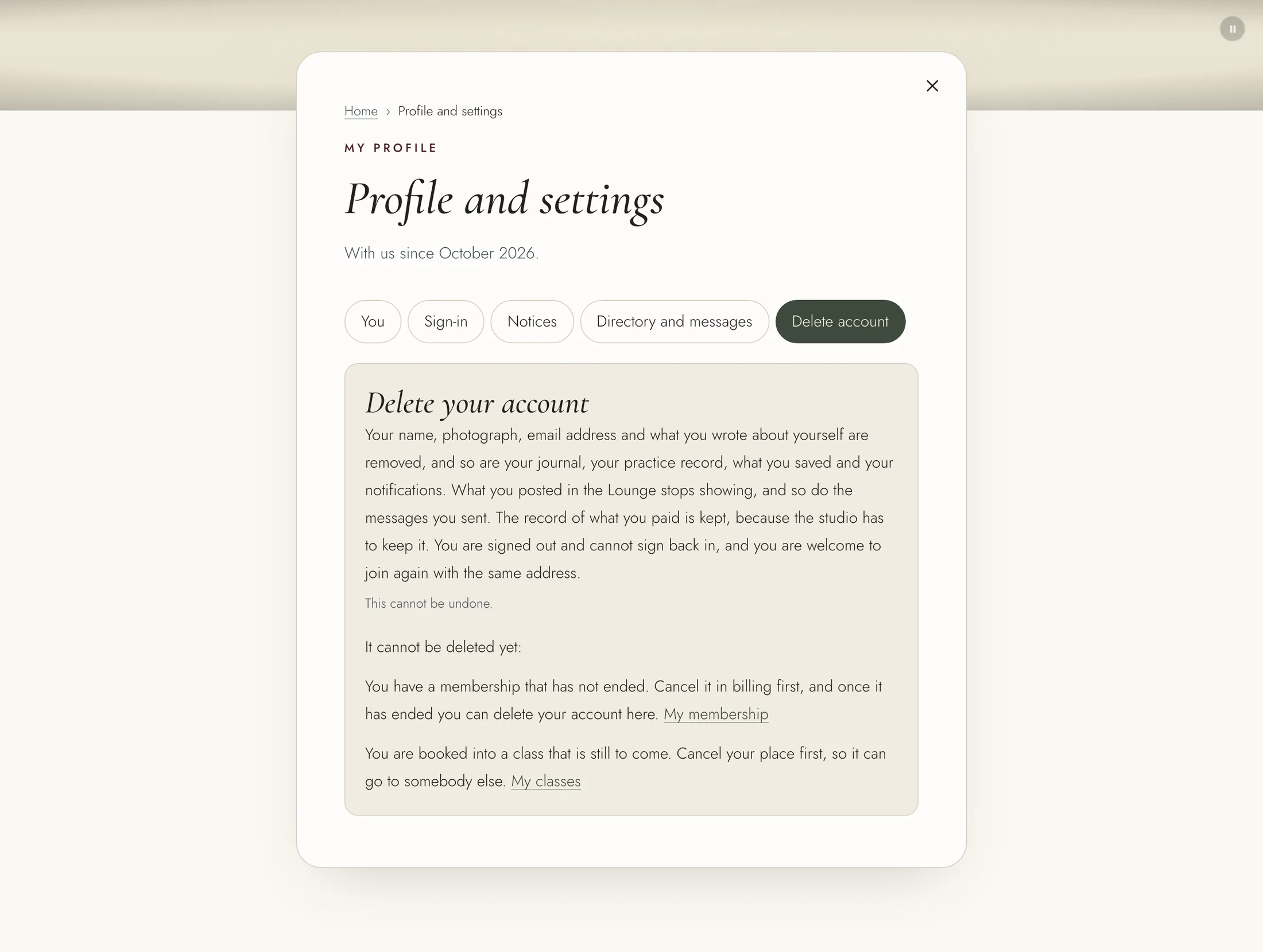
You are signed out straight away, and the sign-in page confirms that your account has been deleted. You cannot sign back in to it.
If you only want fewer emails, or to leave the member directory, you do not need to delete your account. Both are on your profile, on the "Notices" and "Directory and messages" tabs.